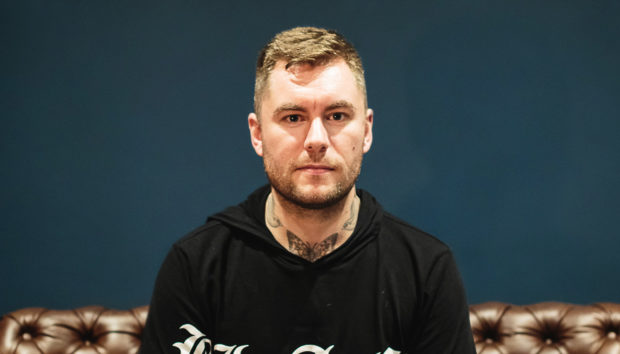



Iglesias has built his reputation on crisp, groove-heavy tech house and a live approach that keeps his sets unpredictable. His latest single, “Chula”, marks a long-awaited debut on Solid Grooves, a label known for tracks that dominate clubs and festivals alike.
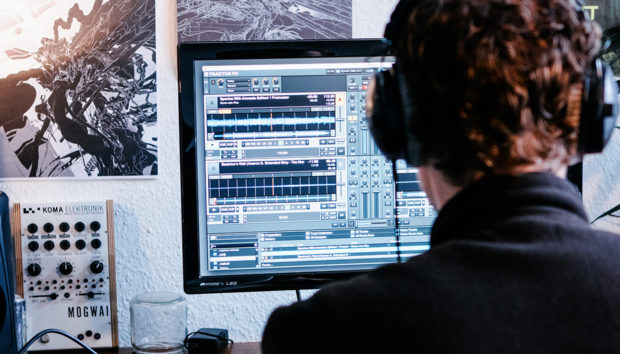
The track was born from a live edit tested in Buenos Aires, which Iglesias later expanded into a full studio production. That workflow, which starts on stage and finishes in the studio, also defines his use of Traktor. With a custom-mapped Traktor controller, Iglesias reshapes tracks in real-time, looping, layering, and sampling to give each performance its own unique character.
In this interview, he explains how “Chula” came together, how Traktor anchors his hybrid live setup, and what tools could help push that flexibility even further.
Jump to these sections:
- Creating “Chula” with club performance in mind
- How Traktor brings grooves to life
- Custom mapping Traktor to fit the setup
- The future of hybrid live sets
With mappable functionality reminiscent of the legacy F1 – which Iglesias refers to in the interview – the Traktor X1 is built for looping, effects, and seamless mixing, making it the perfect customizable DJing companion piece:
When you finished “Chula”, did you already have ideas in mind for how you’d adapt it for the stage?
With most of my music, including “Chula”, I create it with my style of club performance in mind. That can change after testing, and tweaks often occur after I play a track live. Maybe I want to create more space in the mix or incorporate something I played during my hybrid live show.

I’m a strong believer that making club-ready, DJ-friendly music means giving every DJ the freedom to put their own twist on the record. I like to keep my music open and groove-focused, giving DJs the space to loop, layer, and create their own special moments.
That’s also the kind of music I love and gravitate towards as I enjoy resampling, adding effects, and doing unexpected things when I perform.
“Chula” actually started as an edit. I was playing in Buenos Aires at the start of 2024 when I heard a really cool a cappella that I wanted to try out. Back at the hotel, I quantized it, prepped it, and then layered it over a record during my set. The crowd went crazy.
That’s how the idea was born. Many of my best ideas come from the edits I make while testing live. Then I bring them back into the studio, expand on them, and turn them into original records. With the setup I use, it’s easy to build ideas live during shows, which makes the transition back into the studio feel natural.
Pro tip from Iglesias: When transitioning from CDJs to a Traktor setup, take it slow. The possibilities with Traktor are endless, but you’ll get way more out of it if you build your setup gradually and give yourself time to really understand each layer.
How do Traktor and your controller help you take a tightly-produced groove like “Chula” and make it feel alive in front of a crowd?
I’ve used Traktor in various ways over the years, but more recently, my Traktor hardware functions like a sampler. So when I use it over my records, including “Chula,” I am actually using it just slightly to enhance what the track is currently doing. Although it’s intended to be used to trigger stems and samples, for me, it’s used to enhance what the tracks are doing and how they were intended to be played.

Pro tip from Iglesias: Custom mapping is where the magic happens. Don’t just map for the sake of mapping. Think about what slows you down or limits your creativity, then design your mappings to solve those problems.
Would you mind diving a bit deeper into how your Traktor controller fully fits into your setup?
I don’t really use my Traktor controller in a traditional way. Mine is totally custom-mapped and handles a bunch of different things, with certain controls tied to Traktor and others to Ableton Live. I’ve mapped it in a way that’s inspired by how I used to use a Soundbite Pro, which is an old-school loop station.

That thing was a bit clunky. Since you couldn’t change loop lengths, it had to have its own power supply, loads of cabling, and on top of that, you couldn’t move start points after capturing. So if I grabbed something slightly off, it would come out a little out of time. Honestly, that was sometimes cool. But those limitations are what pushed me to remap my F1.
Basically, the pads are split up for different purposes. Many of them are dedicated to capturing samples from whatever’s playing, and then I can play those back out through Traktor on a different channel. Some pads let me nudge the start point of a captured loop forward or backward, while others let me adjust the loop length after it’s been recorded.
The rest of the pads trigger parameters in Ableton Live, such as freezing delays or reverbs.
The top faders are mapped as volume faders inside Ableton. A few of them control return channels for reverbs and delays for audio from the Model 1. Others control stem volumes directly within Ableton. Then, finally, the top four rotary knobs are mapped to pitch controls and a backup drum rack, just in case my TR-8S fails or something. It’s definitely a custom setup, but it works perfectly for the way I like to play.
Pro tip from Iglesias: It’s tempting to map everything under the sun, but too much can get confusing fast. Keep your mapping lean and intentional so you can stay focused on performing, not remembering what button does what
How do you see hybrid live sets evolving in the next few years, especially in house and tech house?
I haven’t seen many people jump on the bandwagon yet, and I think it’s purely due to the complexity of setting up and packing up for every show.
It personally doesn’t bother me, as I think that the overall experience for the crowd – and me – outweighs the amount of equipment to carry. I have always been one to ride with technology, both in my hybrid mastering studio and in my DJ sets.

We do see it more in the techno world, as there are fewer elements than in a tech house track. That’s where making things happen live is actually a bit easier, as there’s much more space in a record. I do think that we will see more people doing similar things in the years to come. I mean, just look at how we switched up from vinyl to CDJ.
Pro tip from Iglesias: Don’t be afraid to use sync when juggling multiple decks or remix decks. Everyone and their dog can beatmatch now, so don’t try to prove anything to anyone. It frees you up to get more experimental with layering, effects, live looping, and being generally creative.
Wrapping it all up

“Chula” is the kind of track that shows exactly why Iglesias fits so naturally on Solid Grooves. It’s percussive, rolling, and built to slot straight into a set while leaving enough room for DJs to make it their own.
That mindset carries over into his hybrid live shows. His Traktor gear lets him bend his own tracks on the fly, capture loops, and keep the energy moving in unexpected directions. It keeps the performance side connected to the studio side, which is why the transition between the two feels so natural.
As he looks ahead, Iglesias is already thinking about what tools Native Instruments could create next to expand that flexibility. For now, though, “Chula” and Traktor are proof of how tight production and creative performance can push each other forward.
Related articles
-
The 110 best free Kontakt instruments in 2026
Explore the ultimate list of the best free Kontakt instruments and libraries. Discover new sounds and add them to your…
-
Ryan Lott on the living sound of LCO Producer Strings
Son Lux’s Ryan Lott shares how he uses LCO Producer Strings to find the living gradients in his music and…
-
2026 NI community roundup: from the studio to the stage
See how the community is using Maschine, Traktor, and Kontrol keyboards to find their flow in 2026. Get inspired by…
-
An update from Nick Williams, CEO of Native Instruments
I want to share a direct update on the restructuring process underway here at Native Instruments. Business continues as usual…
-
NI producer spotlight: Women’s History Month 2026
Discover more than 30 women and nonbinary producers – including WondaGurl, Arca, and Tems – who are defining the modern…
-
Learn how Andre Samuel and Daylight kept Mon Rovîa’s Bloodline sounding natural and clean
Learn how production duo Daylight and Andre Samuel used iZotope RX and Native Instruments tools to capture the organic soul…
-

5 of the best vocal plugins for modern music production
Unlock the power of the human voice. Explore five distinct vocal plugins designed to bring emotion and character to every…
-
Speed, melody, and instinct: Will Bates on composing for streaming with Kontakt
Will Bates explains how Noire and Kontakt helped him score 'The Better Sister' with speed, emotion, and precision for Prime…