




Have you ever wanted to try DJing but felt intimidated by the gear your favorite artists use in clubs or livestreams? Seeing expensive controllers, massive music libraries, and complex setups can make it feel like there’s too much to learn (and buy) before you even start.
Thankfully, today’s technology has made getting started as a DJ easier than ever. Traktor Play is a great example. It’s a new, easy-to-use two-deck DJ software platform that lets you start mixing directly on your laptop without needing extra hardware. While it isn’t just beginner DJ software, it is a great place to start.
By the end of this article, you’ll understand how to blend your first two tracks, build your first mix, and organize a growing library of music you’ll be excited to share. This is for anyone who wants to know how to start DJing but hasn’t yet made the leap. Let’s get going with advice from the pros and nuggets of wisdom from our team of career DJs.
Traktor Play gives you everything you need within a single platform and gets your first mix started within ten minutes.
Jump to these sections:
Why is Traktor Play your perfect first step as a DJ?
Traktor Play keeps things simple by equipping you with the essentials you need to make a professional-sounding mix. The two-deck DJ software is easy to learn, but still leaves you sounding like a pro.
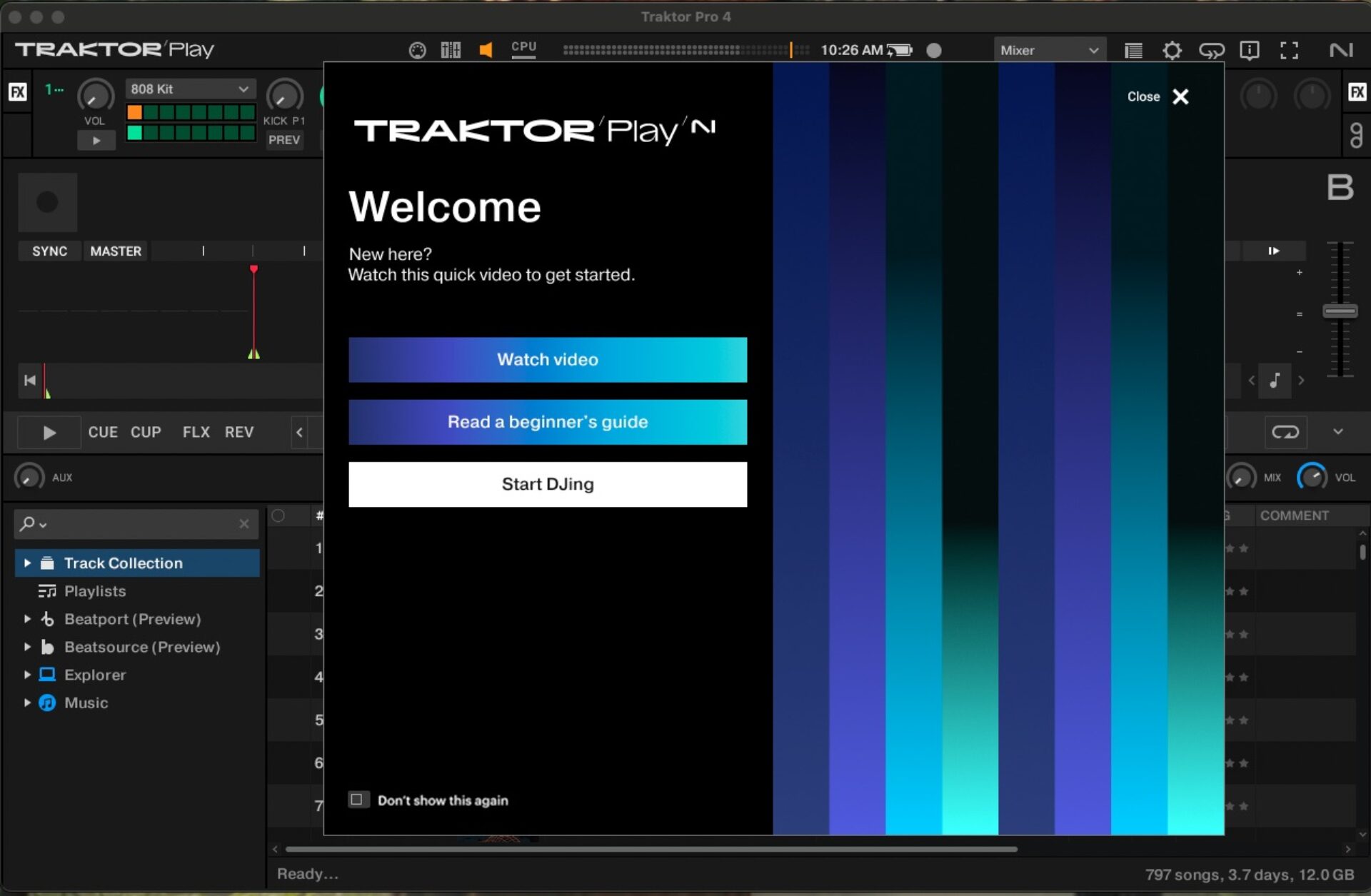
Traktor Play keeps things simple by equipping you with the essentials you need to make a professional-sounding mix. The two-deck DJ software is easy to learn, but still leaves you sounding like a pro.
Don’t let all the lights, knobs, and faders on expensive club gear intimidate you. One of the biggest things you need to know about getting started as a DJ is this: most of what makes a DJ great comes down to track selection.
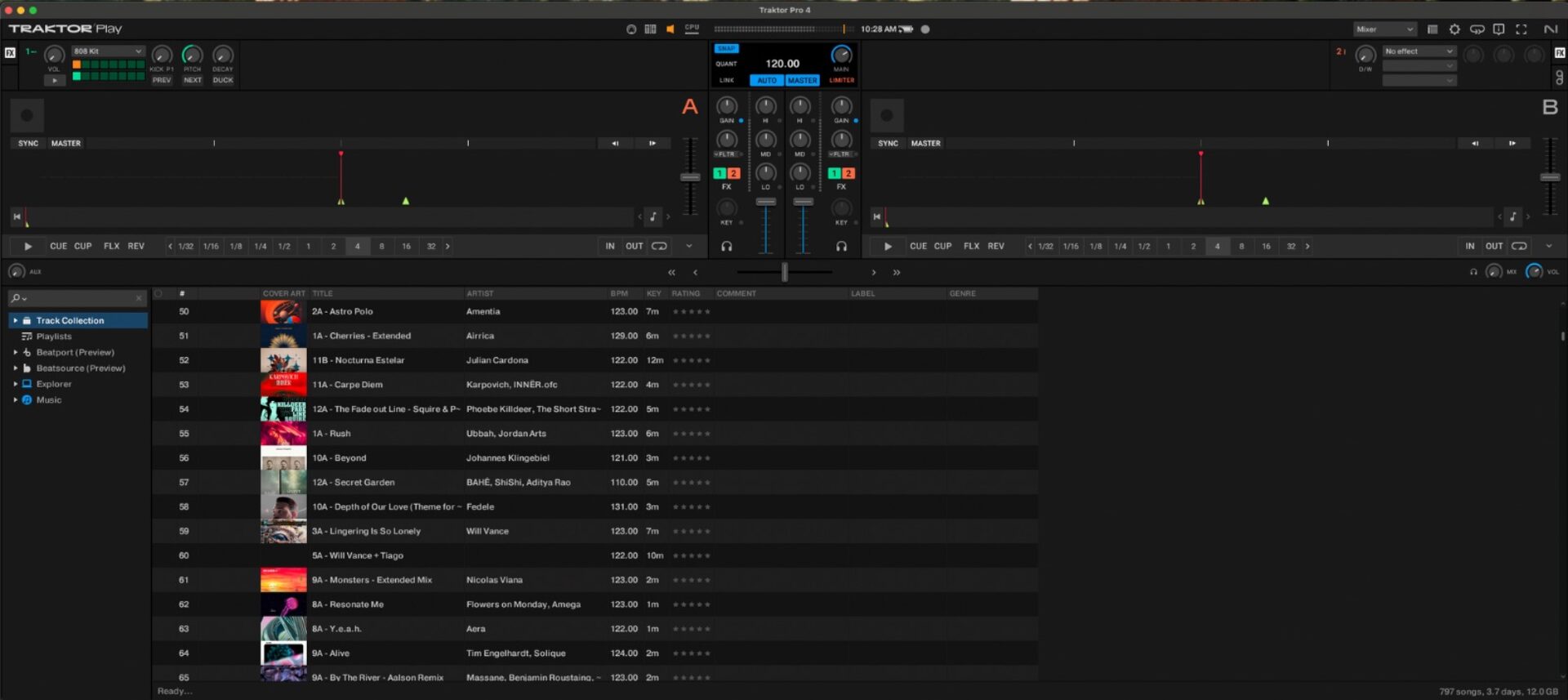
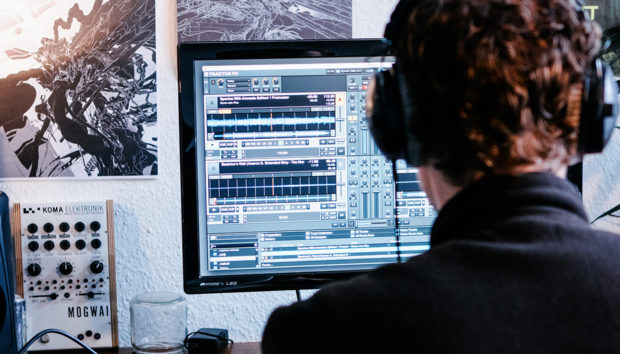
The clean two-deck interface displays your decks, mixer, and track browser all on one screen, so you can immediately see what matters most without getting lost in menus or complex routing.
You’re only seeing what you actually need, which makes learning faster and more enjoyable.

Once you’ve got the basics in front of you, the next step is exploring the music.
Traktor Play includes built-in Beatport and Beatsource streaming, giving you instant access to millions of tracks across more than 40 genres. You can browse, preview, and start mixing without owning any music yet. Beatport’s preview integration means you can experiment with new sounds right away, opening the door for quick creative practice instead of spending months building a collection first.

This kind of accessibility is where Traktor Play shines. Its design makes it easy to explore creative tools that bring immediate results.
Stem Separation lets you mute drums and isolate parts of a song, like vocals, allowing you to remix and mash up ideas on the fly.

The Pattern Player lets you add drum patterns like 808s or groovy organic percussions directly into your mix, giving your transitions and breakdowns energy and rhythm. These tools turn DJing from simply playing songs into playing with songs. This encourages experimentation and personal expression from the very beginning.

As you start building confidence, you’ll notice how quickly Traktor Play encourages intuition-based performance and track mixing. With everything on one screen, you can act on impulse instead of overthinking. The workflow feels natural, letting you follow your ear and instinct rather than focusing on technical details or effects chains.
Modern DJing no longer solely depends on years of collecting tracks or mastering technical beatmatching. Tools like Traktor Play handle the technical side so you can focus on developing your own sound and performance style. It’s never too early in your journey as a selector to practice how you blend songs, swap elements, and create transitions that reflect your taste as a DJ. Traktor Play gives you everything you need to start that process from day one.
From zero to first mix in 10 minutes
1. Download and install
Head to the Native Instruments website and purchase Traktor Play.
From there, you’ll open Native Access and install the software onto your computer. The installation is straightforward, and you can launch Traktor Play immediately once it’s done.
2. Connect your gear (or just use your laptop)
You can start mixing with nothing more than your laptop, but if you’re looking for a gear list, look no further than our beginner’s guide to DJ equipment.
Traktor Play is designed to work right out of the box, using your built-in speakers and trackpad. If you already own a DJ controller, Traktor will automatically detect it and map the controls for you. Plug-and-play support means you can connect hardware at any time without adjusting extra settings.
Do I need a controller to use Traktor Play?
You don’t need a controller to use Traktor Play. It was built so that anyone can start DJing with only a laptop. You get the same sound engine and creative tools used by professionals, all mapped to your keyboard and trackpad.
If you do decide to add hardware later, Traktor Play offers plug-and-play compatibility with popular controllers like:
- AlphaTheta DDJ-FLX2
- AlphaTheta DDJ-FLX4
- Reloop Buddy
- Reloop Ready
This support gives you a smooth upgrade path as you grow. Whether you’re mixing from your bedroom or at a party, Traktor Play adapts easily to your setup.
3. Find your first tracks
Open the browser on the left side of the screen to explore Beatport and Beatsource streaming. You can instantly browse, preview, and load songs directly into your decks. This integration will help you learn to mix music free. Try searching by genre or mood, then drag a track onto Deck A to start.

Then do the same for Deck B with a different track to prepare your first mix.
One of the best starting points for choosing which two songs to mix is the key indicator displayed in Traktor’s library window. This value helps you understand how tracks relate harmonically. While there’s a full guide on harmonic mixing for those who want to go deeper, here’s the simple version: if two songs share the same key number or are within one step of each other, they’ll usually blend well musically.

This approach keeps the mix sounding cohesive and helps transitions feel natural, even when you’re still learning the basics.
Mixing two tracks in compatible keys can make a transition feel seamless, but slightly shifting keys can lift the energy or create tension before a drop. Learn how different key changes affect mood, then use them deliberately to guide the crowd’s energy:
4. Create your first transition
Start playback on Deck A, then slowly bring in Deck B using the crossfader. Watch how the waveforms line up as you move between tracks.

Start playback on Deck A, then slowly bring in Deck B using the crossfader. Watch how the waveforms line up as you move between tracks.
You can also use the loop feature on the track you’re mixing into to help naturally bring it into the mix. This removes any time pressure you might be feeling by playing a short section of the track indefinitely. You can use this until you reach the ideal transition time – like when a vocal comes in or a breakdown starts.
To build confidence, enable AutoMix, which automatically transitions between songs with clean, even fades. This gives you extra time and attention to toy with effects like reverbs for smoother transitions or phasers for epic builds.
Three things to try once you feel comfortable on the decks
Once you’ve gotten a hand of the above Traktor tutorial for beginners, you can try some of these more advanced techniques.
1. Try a live remix
Once you’re confident mixing and finding harmonically compatible tracks, take it a step further by experimenting with live mashups. Use Traktor’s Stem Separation and equalizer tools to isolate vocals, then loop a main hook or phrase over the instrumental of another track.
Add effects like delay or reverb to blend the elements smoothly and create something that feels fresh and unexpected during your set.

Once you’re confident mixing and finding harmonically compatible tracks, take it a step further by experimenting with live mashups. Use Traktor’s Stem Separation and equalizer tools to isolate vocals, then loop a main hook or phrase over the instrumental of another track.
Add effects like delay or reverb to blend the elements smoothly and create something that feels fresh and unexpected during your set.
2. Bring in a breakdown
In club music, breakdowns usually strip away the drums and groove to create space before the energy builds back up. This moment is a perfect opportunity to introduce something new.
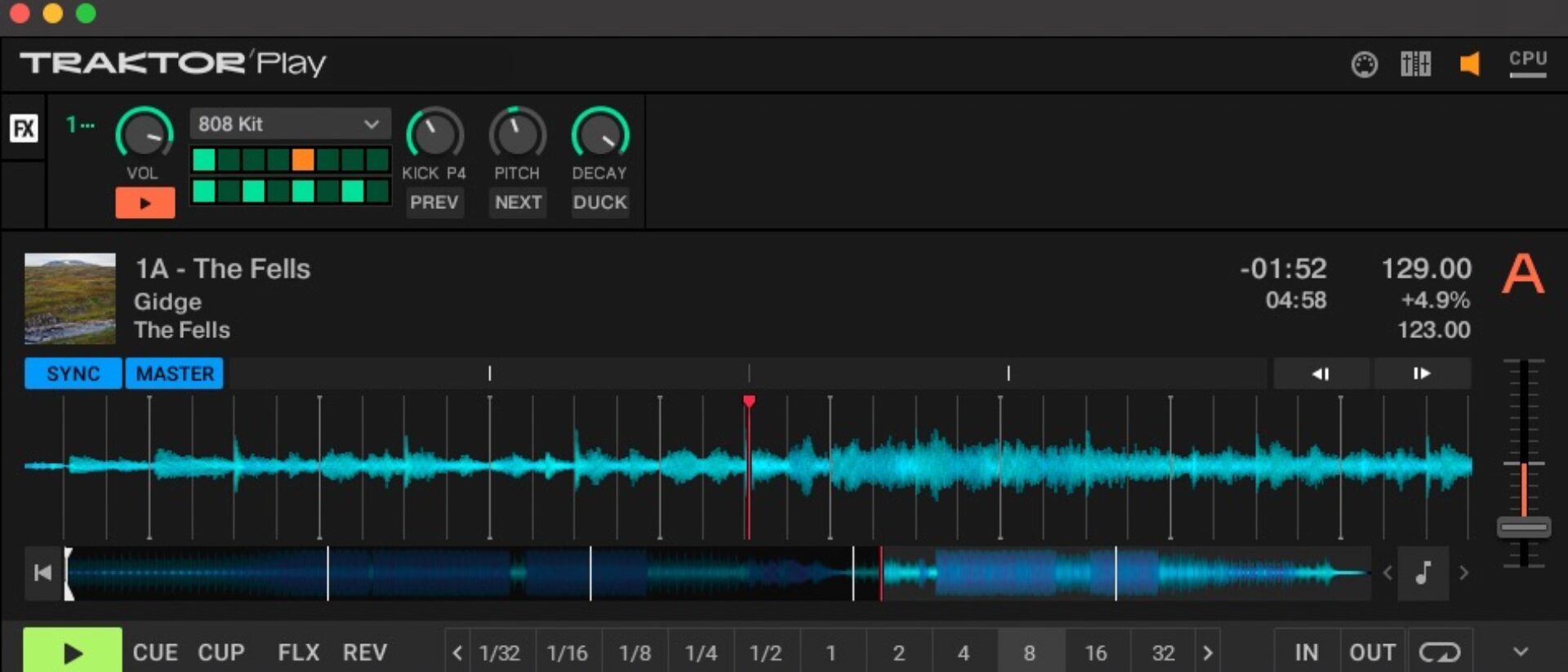
Using Traktor’s Pattern Player, try layering a breakbeat-style 808 rhythm or bold, anthemic drums to keep the momentum alive. This approach keeps the crowd engaged and heightens anticipation for the next drop.
3. Switch up the vibe
Being a great DJ means knowing how to balance what they love with what the crowd wants to hear. That often means stepping outside a single genre or tempo. Experiment with mixing tracks from completely different styles and BPM ranges. Traktor Play handles much of the technical work through automatic tempo syncing, so you can focus on creativity. Try blending an organic house track into a breakbeat tune, or moving from drum and bass into classic house.
Use effects like reverb and delay to smooth out transitions and control the energy between contrasting sections. These combinations can turn your set into something that feels distinct and unpredictable.

Common mistakes to avoid while learning to DJ
Every DJ makes mistakes, especially in the early stages of learning. The key is to recognize the most common ones so you can avoid them when possible and learn from them when they happen. Understanding where things tend to go wrong helps you stay calm under pressure and turn slip-ups into valuable experience that improves your skills over time.
ABC (Always be curating)
A DJ’s life revolves around constant curation. Few things are more frustrating than finding an incredible track and then forgetting what it was later.
Build playlists on Beatport or Beatsource every time you discover something new. Traktor Play integrates directly with these platforms, giving you instant access to your saved playlists during practice sessions or casual performances.
This habit keeps your collection organized and ensures you always have music you’re excited to play.
Mini-mixes over mixtapes
Like any creative skill, the fastest way to improve at DJing is through repetition.
You learn the most by getting as many of these practice sessions as possible, especially early on. Instead of obsessing over long, hour-long mixes, focus on creating short sets around 15 to 20 minutes each. Working with a smaller collection of tracks helps you experiment more often, refine your transitions, and test different techniques without overthinking.

The more mixes you build, the faster you’ll understand how to organize music, develop flow, and build confidence behind the decks. It also keeps you from getting too attached to any single mix, reinforcing the mindset that DJing is an ongoing process of discovery and that curation is a lifestyle.
Overusing the FX
It’s easy to assume your favorite DJs are performing complex tricks when you see them twisting knobs and moving with the music in a club. Most of what experienced DJs are actually doing, though, comes down to subtle control.
Light, intentional use of effects like reverb, delay, and bitcrushing can add dimension without overwhelming the mix. The real focus should stay on track selection and timing. Effects are tools to enhance transitions and highlight key moments, not dominate them.
Used sparingly, they help present each song in its best light and give your set a natural live performance feel.
Though we’ll admit that this is a mistake best learned by doing, so we encourage you to get your hands a little dirty and use all the effects you want. Who knows, you might stumble upon a unique mixer effects chain.

Start using Traktor Play
Hopefully by now you’ve seen that in less than ten minutes, you can download Traktor Play, mix your first two tracks, and organize your growing library. You don’t need expensive gear or a massive collection of songs, only your laptop and a little musical curiosity.Because DJing is more accessible than ever, you just need to show up, give it a try, and keep practicing. Create short mixes, experiment with new genres, and use tools like Stem Separation and the Pattern Player to refine your sound and workflow.
You’ve already made your first mix. Keep going! Every DJ began right here.
Related articles
-
Hardt Antoine explains his fast, tactile studio process with Maschine
Hardt Antoine breaks down how Maschine helped capture the rhythm, energy, and creative flow behind his Kompakt release “Let Me…
-

From Napoleon Dynamite to Cyberpunk 2077: How NI shaped Brian McNelis’s story
Brian McNelis discusses how Native Instruments tools shaped his workflow across decades of film, game, and soundtrack production.
-

How Darin Epsilon’s workflow with Massive X and Monark keeps Perspectives Digital moving forward
Darin Epsilon reflects on 15 years of Perspectives Digital, exploring how his production evolved with tools like Massive X and…
-
The 110 best free Kontakt instruments in 2026
Explore the ultimate list of the best free Kontakt instruments and libraries. Discover new sounds and add them to your…
-
Ryan Lott on the living sound of LCO Producer Strings
Son Lux’s Ryan Lott shares how he uses LCO Producer Strings to find the living gradients in his music and…
-
2026 NI community roundup: from the studio to the stage
See how the community is using Maschine, Traktor, and Kontrol keyboards to find their flow in 2026. Get inspired by…
-
An update from Nick Williams, CEO of Native Instruments
I want to share a direct update on the restructuring process underway here at Native Instruments. Business continues as usual…
-

NI producer spotlight: Women’s History Month 2026
Discover more than 30 women and nonbinary producers – including WondaGurl, Arca, and Tems – who are defining the modern…